How to use the personal alerts bot Guide
Eleven short steps from the first /start to your own alert setup. The names of buttons and commands are exactly as in the bot.
1 Start and the free trial
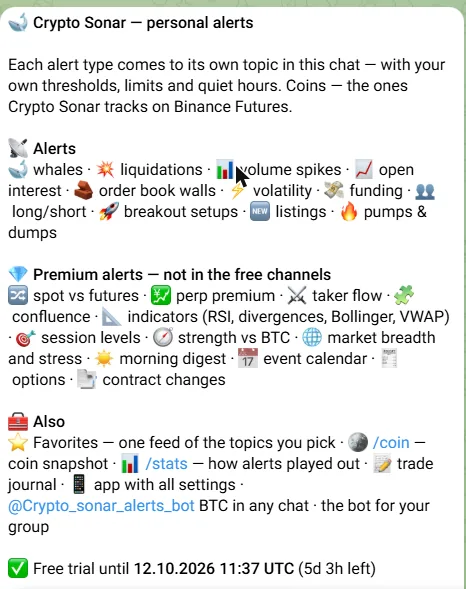
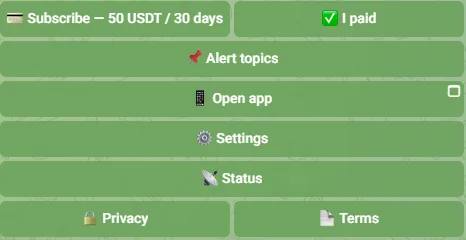
Open @Crypto_sonar_alerts_bot and press Start. The first message explains what the bot sends and shows your access status with the buttons below it.
Press «🎁 Start 3-day free trial». The trial is granted once per Telegram account and does not need a card or a payment. When it ends, alerts pause and your settings stay.
2 Pick a starting preset
Right after the trial starts the bot asks for a preset: Standard — like the channels, Whale watcher, Liquidations & OI or Pumps only. A preset turns on a set of topics with sensible thresholds and shows «≈ N messages a day», counted from the real events of the last 7 days.
You can change every topic later; «Change preset» in /settings replaces the settings of its topics and turns the others off.
3 Choose your topics
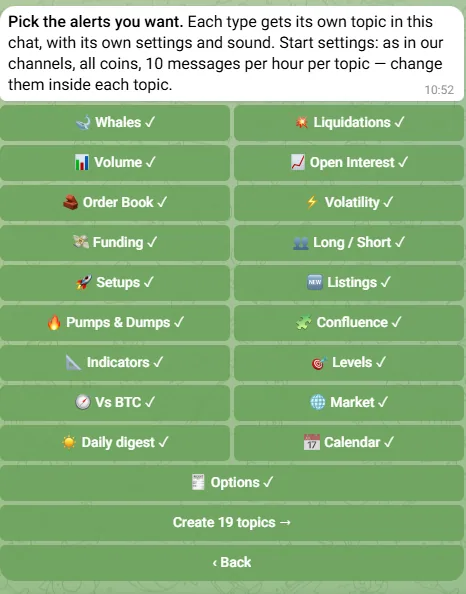
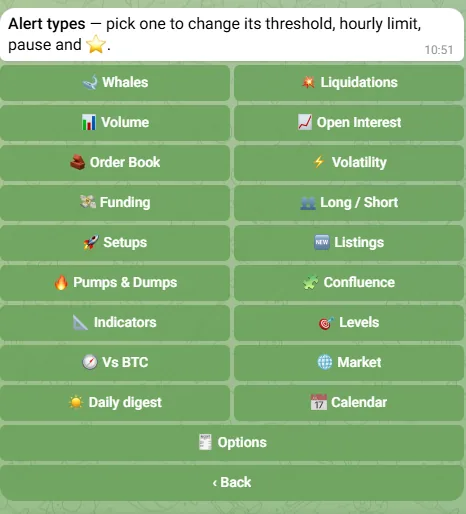
«📌 Alert topics» shows every alert type with a check mark. Tap to turn a type on or off, then «Create N topics →». Each type gets its own topic in your private chat with the bot.
The same screen is where you add types later — a new topic appears with the next alert of that type.
4 Topics in the chat
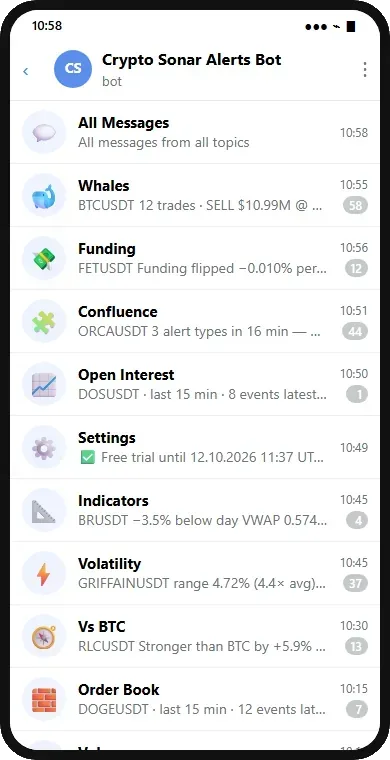
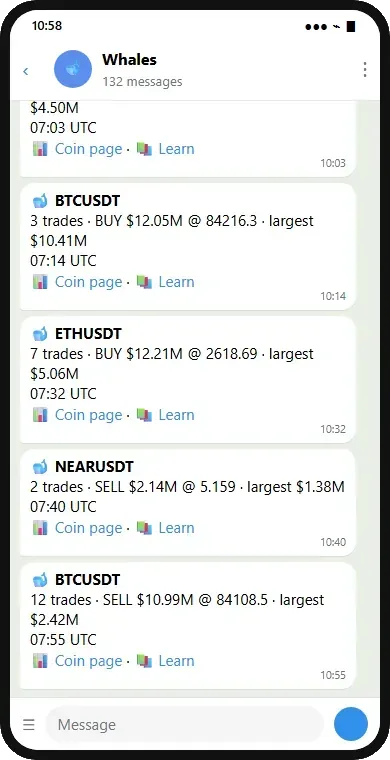
The chat with the bot turns into a list of topics: 🐋 Whales, 💥 Liquidations, 📊 Volume and so on, plus ⭐ Favorites and ⚙️ Settings. Telegram lets you mute, pin or hide each topic on its own.
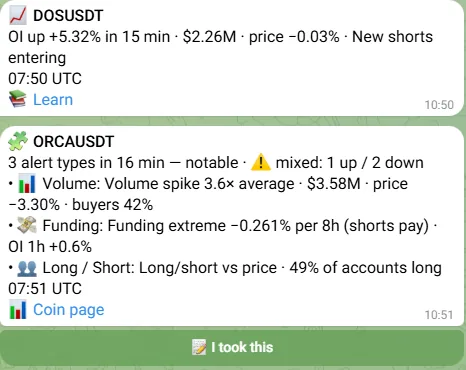
The first message of every topic is pinned: what the type is, its current thresholds and the buttons that change them. Alerts come below it, one message per coin that the bot edits for 15 minutes while the move continues.
5 Thresholds and limits of a type
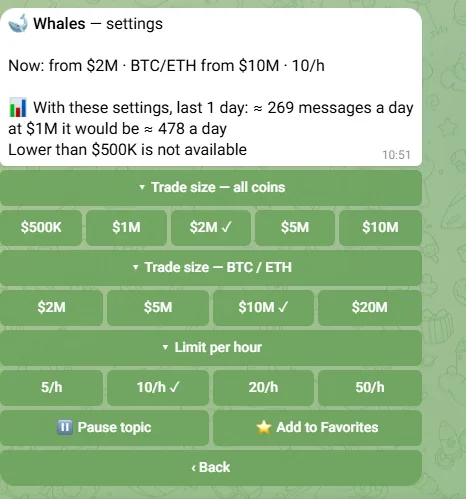
Open the pinned message of a topic, or «Alert types» in /settings and pick a type. The buttons set the thresholds — for Whales the trade size for all coins and for BTC / ETH, for others the percent, the ratio or the multiple of the average. Thresholds cannot go below the bot's floor: whales from $500K, liquidations from $50K, order book from $100K, OI from 3%, volume from ×1.2 and $300K, volatility from 2% and ×3, funding from 0.05%, pumps from 3%.
Under the thresholds: the hourly limit (5 / 10 / 20 / 50), «⏸ Pause topic» and «⭐ Add to Favorites». The line «With these settings, last 1 day: ≈ N messages a day» updates with every change, and the bot also tells you what one step lower would give.
6 No flood, by design
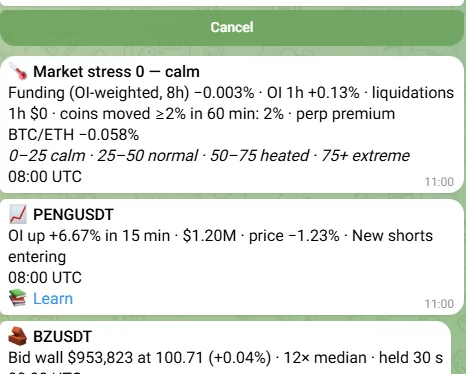
Three rules you cannot switch off: one coin and one alert type share one message that is edited for 15 minutes; above the hourly limit of a topic you get one summary with the top 3 at the end of the hour; above 500 messages a day only summaries are sent.
Several alerts on one coin within minutes come as one Confluence message with the list, strength and direction. Setups and listings are never merged.
7 Quiet hours and time zone
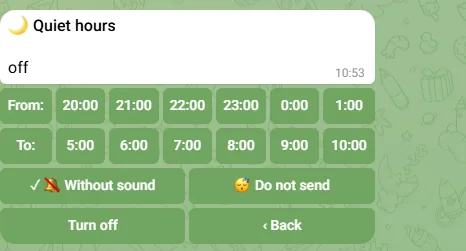
«🌙 Quiet hours» in /settings: pick the start and the end, then the mode — «🔕 Without sound» sends alerts silently, «😴 Do not send» holds them and sends one summary after the quiet hours.
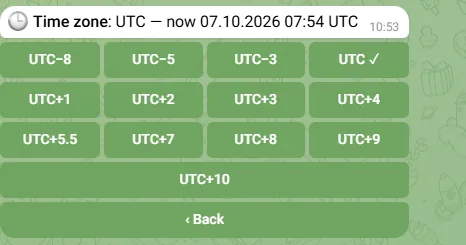
«🕒 Time zone» sets the zone for quiet hours, the daily digest and the calendar. The alerts themselves always show the time in UTC.
8 The /settings menu
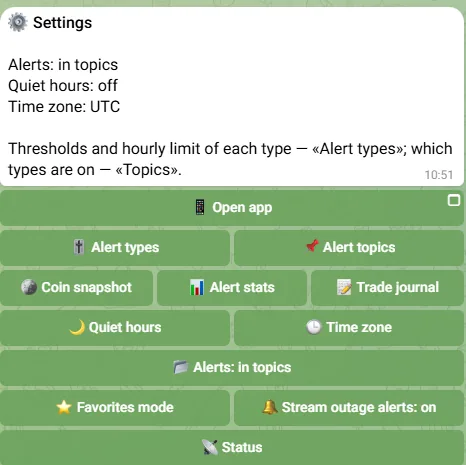
/settings (or the pinned message of the ⚙️ Settings topic) is one menu for everything: Alert types, Alert topics, Coin snapshot, Alert stats, Trade journal, Quiet hours, Time zone, «Alerts: in topics / in one chat», Favorites mode, Stream outage alerts, Language, Status, subscription, Privacy and Terms.
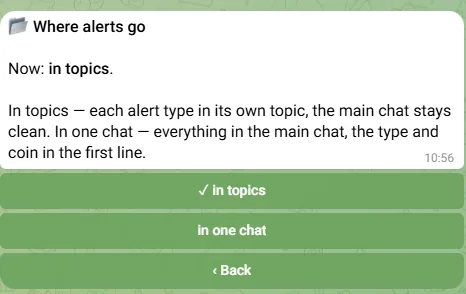
«Alerts: in one chat» sends everything to the main chat with the type and coin in the first line — for Telegram clients without topics. ⭐ Favorites mode is Move (an alert only in Favorites) or Copy (also in its own topic; counts in the limits). Service messages — access, payment, reminders — go to the ⚙️ Settings topic, the main chat stays for commands.
9 /coin, /stats and the trade journal
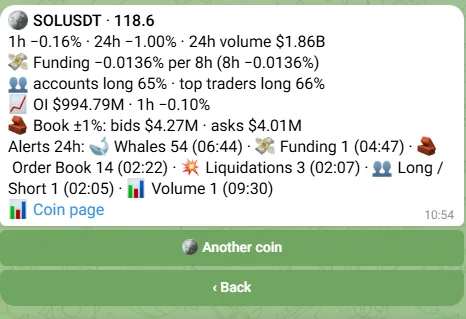
/coin SOL — a snapshot of a coin from the data the bot already receives: price, 1h and 24h, volume, funding, long/short, OI, order book ±1% and the alerts of the last 24 hours, with a link to the coin page on this site.
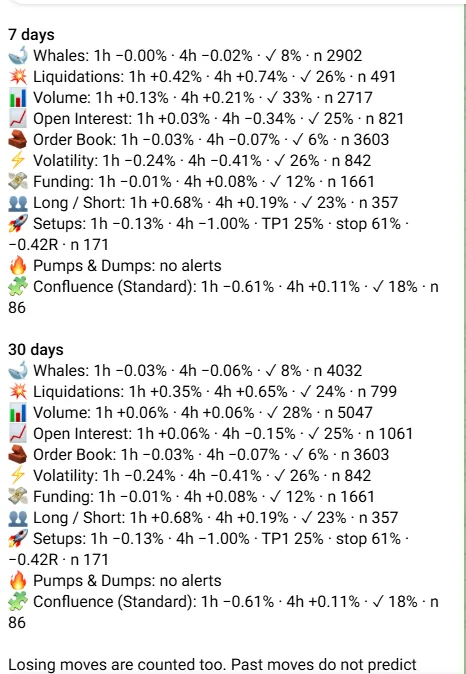
/stats — how the price moved 1h and 4h after each alert type over 7 and 30 days, the share of moves in the alert's direction and, for Setups, TP1, stop and R. Losing moves are counted too; a weekly summary can be switched off.
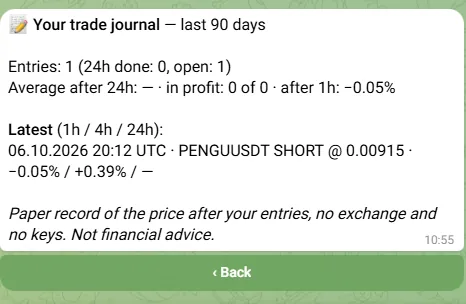
«📝 I took this» under alerts with a direction records the live price; the bot replies with the result after 1h, 4h and 24h. /journal shows your entries and statistics — a paper record, no exchange, no keys.
10 Subscription
When the trial is about to end the bot reminds you a day before and at the end; a paid period — 3 days before and at the end. The price and the payment details are in the bot: «💳 Subscribe» opens a chat with the owner with a ready message and your ID.
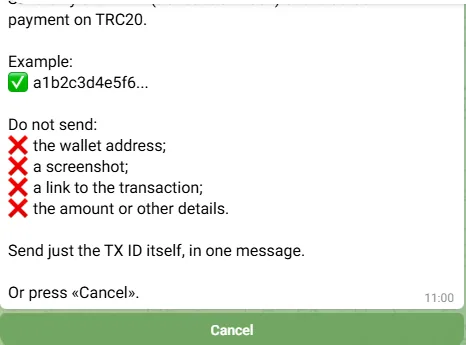
After paying press «✅ I paid» and send only the transaction hash in one message — not the wallet, not a screenshot, not a link. The owner confirms, usually within a day, and the bot extends your access. Refunds are not possible once access is granted; if the bot is down for more than 48 hours in a row, the access is extended by that time.
11 Privacy, Terms, delete, feedback
/privacy and /terms show the same texts as this site's Privacy policy and Terms. /delete removes your settings, topics, profile and trade journal after a confirmation; the trial mark stays, so the free trial cannot be used twice.
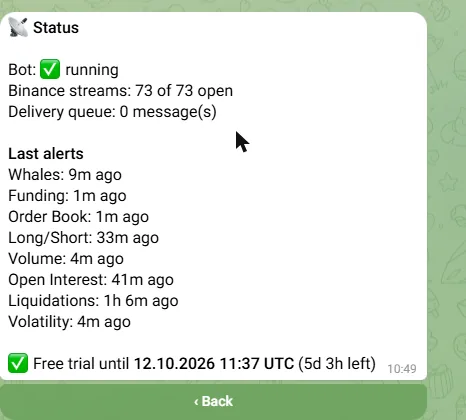
«💬 Feedback & Bug Report» in the main menu opens a chat with the owner with a ready message. /status tells whether the bot and its data streams are alive and when each alert type last fired.
/language switches the bot to Russian or back; the site is English only.
All commands
/start — status and buttons · /settings — thresholds, quiet hours, time zone, topics · /coin SOL — coin snapshot · /stats — alert stats · /journal — trade journal · /language — EN / RU · /subscribe — how to pay · /paid — send a transaction hash · /status — is the bot alive · /privacy · /terms · /delete — delete my data
Ready to set it up?
Open the bot What the bot sends →Not financial advice. Alerts are data about market events, not recommendations — Terms, Disclaimer.