The Mini App Personal alerts
Every setting of the bot on phone-friendly screens inside Telegram, plus the market, the calendar and your statistics. Nothing to install: it opens from a button in the bot.
How to open it
Press «📱 Open app» under /start or in /settings. Telegram opens the app in a window over the chat; on the first start it asks to confirm that the bot may open its web app.
The app signs you in with the Telegram profile the bot already knows — no login, no password. It works on phones, tablets and the desktop app.
Five tabs
-
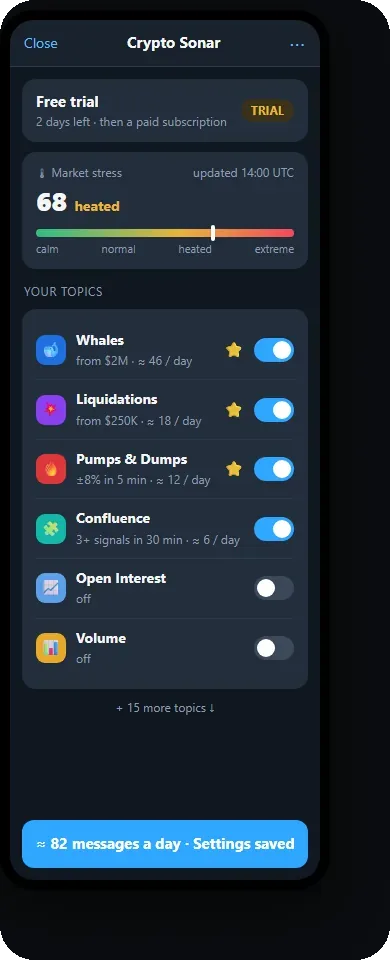
Home
Your access status, the market stress meter and all your topics with switches and «≈ N a day». Tap a topic to open its settings screen.
-
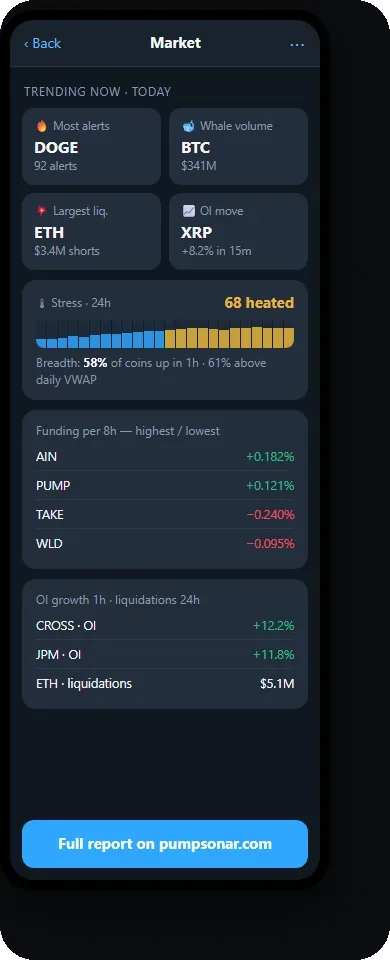
Market
Trending now — the coins with the most alerts, the largest whale volume, liquidation, OI move; the stress index for 24 hours, market breadth, funding extremes, OI growth over 1h and 24h, liquidations.
-
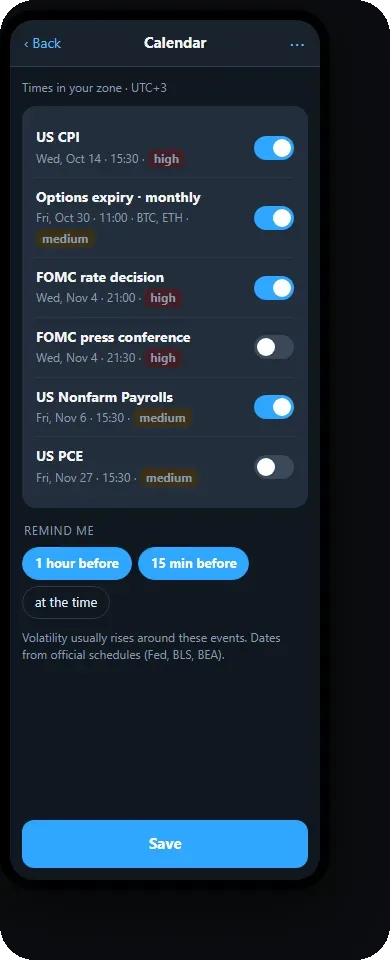
Calendar
The next FOMC, CPI, jobs report, PCE and options expiries in your time zone, each with a reminder switch — 1 hour or 15 minutes before.
-
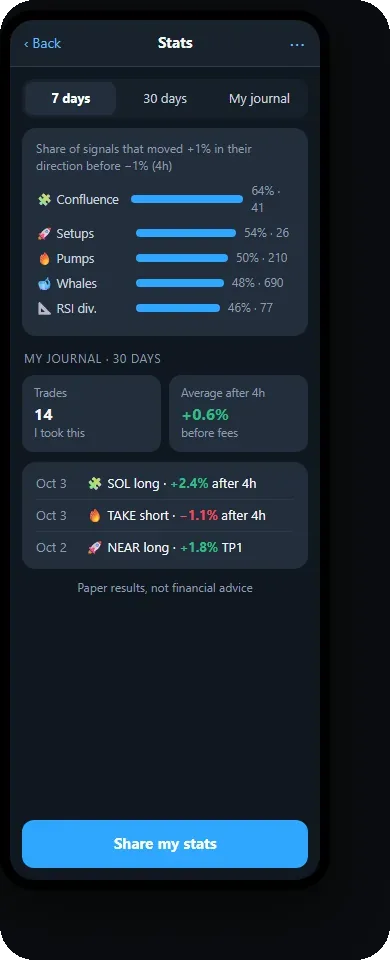
Stats
The same numbers as /stats and /journal: how each alert type played out and your own entries with results.
-
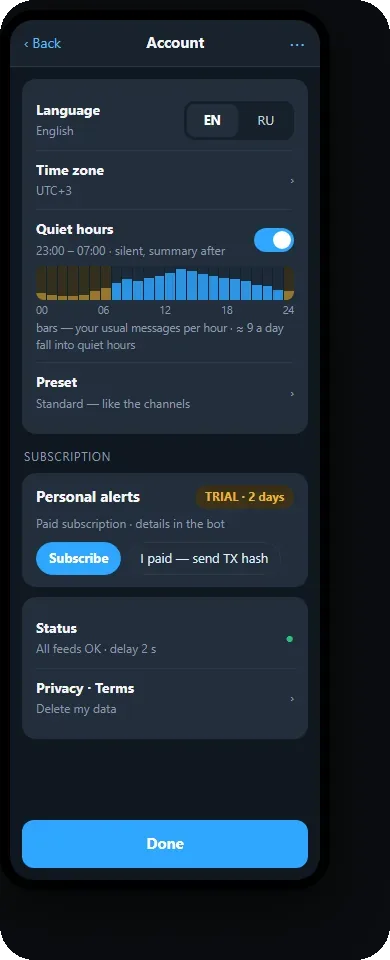
Account
Language, time zone, quiet hours on a 24-hour bar with your usual messages per hour, the preset, the subscription status, Privacy, Terms and data deletion.
Put it on your home screen
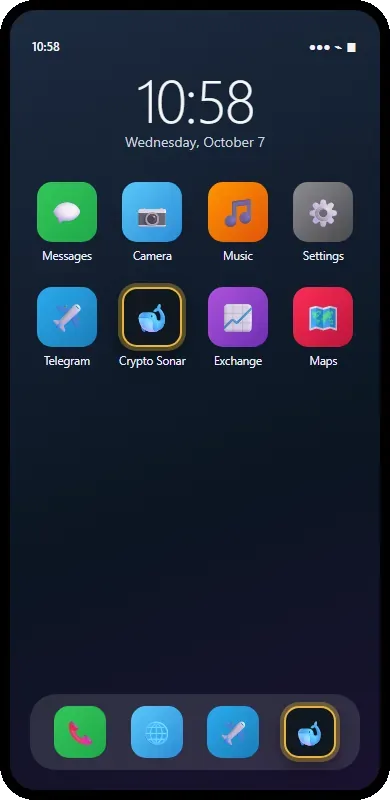
The Mini App can live on your phone like a regular app: its own icon, one tap to open, no chat list in between.
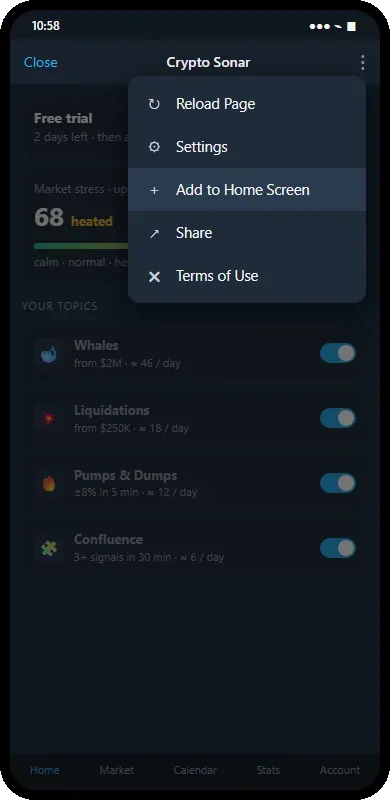
- Open the ⋮ menuIn the Mini App window tap the three dots in the top corner and choose «Add to Home Screen». Telegram 11 or newer on Android and iOS; on iOS Telegram shows a short prompt with the icon to confirm.
- One tap from now onThe shortcut opens the app straight away — your topics, the market and the calendar — and you are already signed in through Telegram. Alerts keep coming to the chat as before; the icon is a fast door to the settings and the market screens.
What you can change in the app
- Topics on and off, thresholds, hourly limits and ⭐ for every type — the same screen as the pinned message of a topic, with an example alert and «Send me a test».
- Quiet hours, time zone, language, Favorites mode, the daily digest and weekly summaries, calendar reminders.
- The coin snapshot on request and the first-run wizard: preset and Favorites.
What is confirmed in the chat
«I paid» and the deletion of your data are only sent from the app — the bot asks you to confirm them with a button in the chat.
Every change made in the app is applied by the bot itself; the screen shows the expected value until the bot confirms it, and falls back to the bot's data if nothing arrives in 30 seconds.
While you use the app, a copy of your settings, access status and journal summary is kept on this site's hosting so the screens can show it; it is deleted after an hour without use and right away after /delete. Details in the Privacy policy. Privacy policy →